
In order to configure ADR Notable to calculate Canadian tax, navigate to Manage Firms, Billing Settings. Here you will enter the tax rates on the administrative level.

Click Add Tax Rate to create rates for the Regions needed. Once a Region has a tax rate assigned, it will be removed from the drop down menu.
NOTE: The value(s) provided for tax rates should match up to your GST/HST Product in QuickBooks Online (QBO).
Select the appropriate Region and enter the percentages accordingly.

Click Save.
In the event you need to edit a tax rate, return to Billing Settings to alter. The tax rate is not editable on the invoice itself. This message will present when invoicing:

BILLABLES AND INVOICING
When the Tax Region is selected on the billable, the appropriate tax rate will populate.
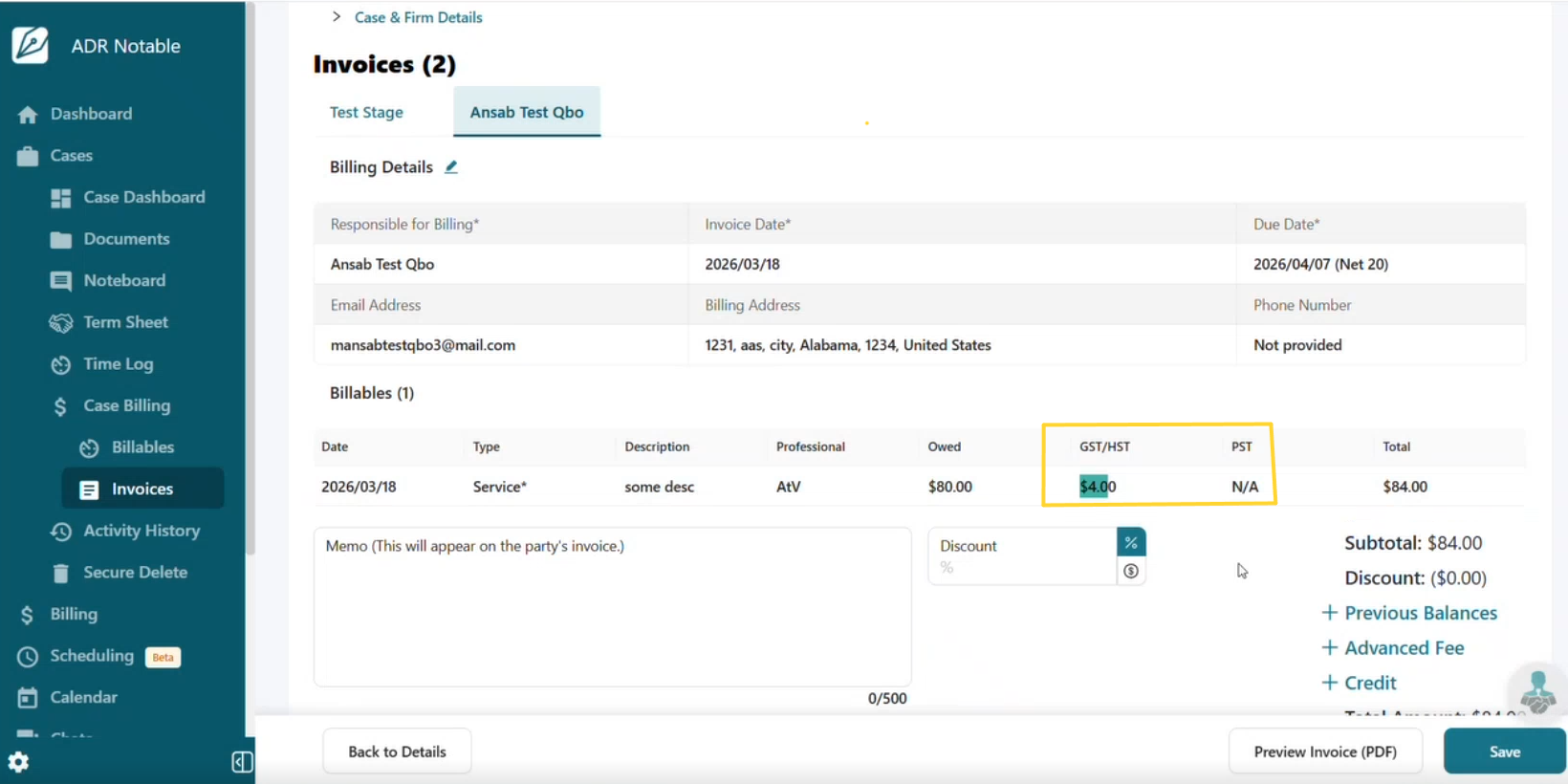
If billing parties are in different Provinces, the tax rate will adjust accordingly.

The invoice will calculate the total amount:

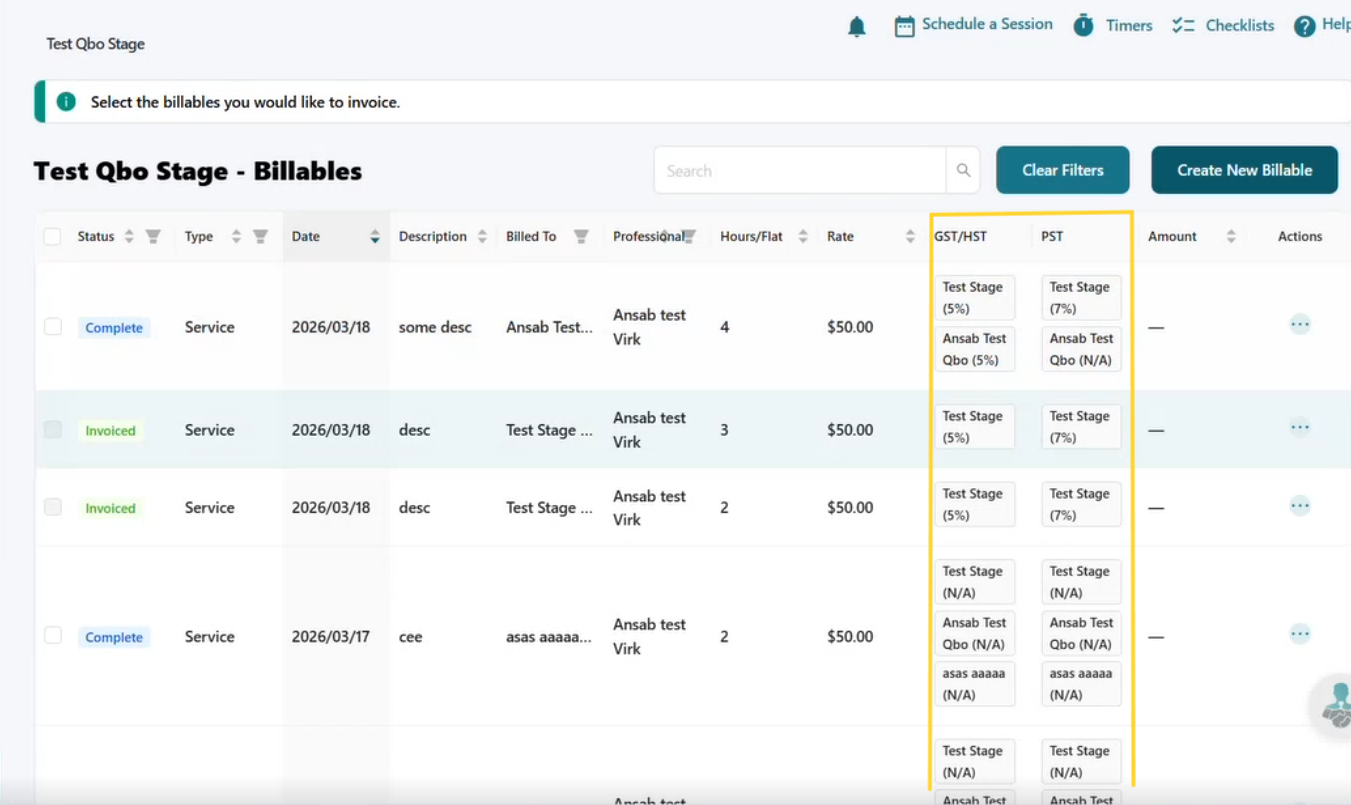
In Billables, you will be able to see the GST/HST and PST columns:
On the invoice, you will see the tax rate for each responsible party.
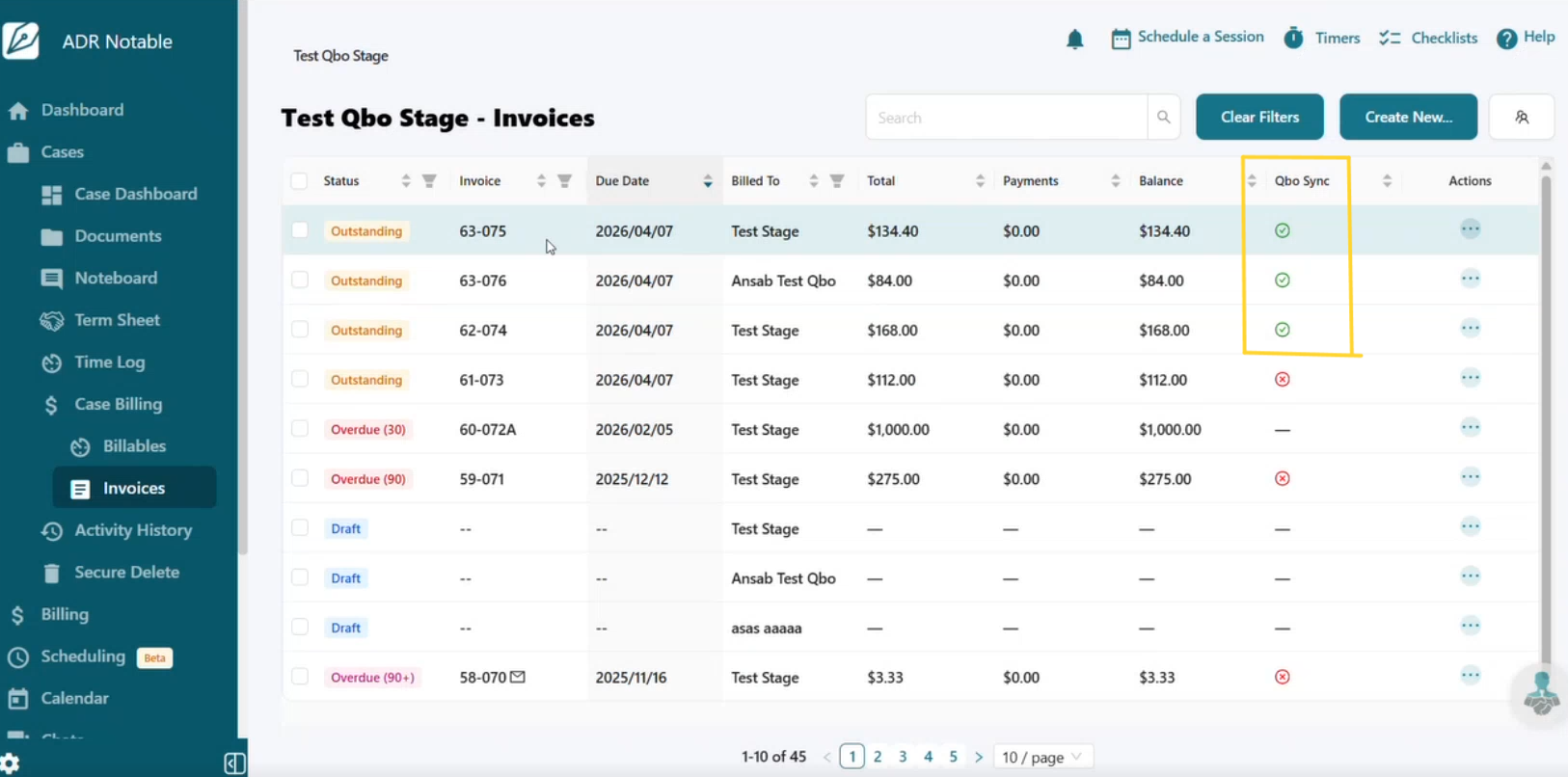
On the Invoices page, you can verify the entry(s) are syncing to QBO:
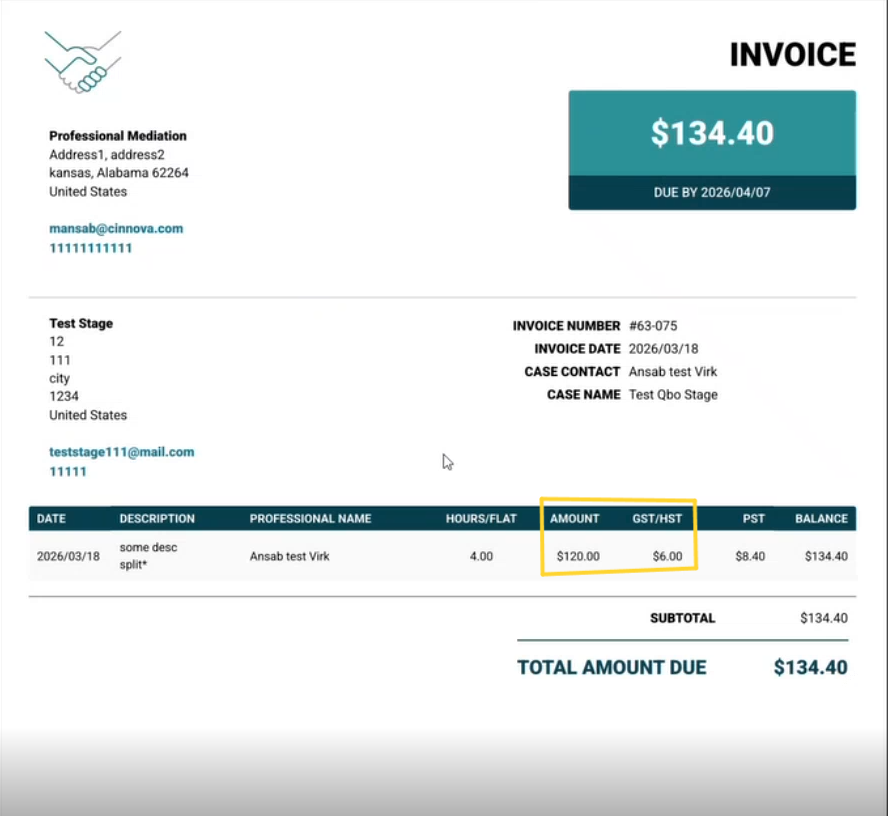
The invoice will show GST/HST and PST values:
Lastly, in QBO you will see the GST/HST and PST taxes calculated:
